Salon POS system for hair and beauty salons
Lookster Pro is the POS system that will sit next to your calendar: checkout with Tap to Pay, iDEAL QR or a payment link, online prepayment and your daily close in the same app as your bookings. Pro is already running at a select number of salons and will soon be available to everyone. Start free with Essentials today: calendar, bookings, client card and revenue insight. In the meantime you simply take payments with your own card reader; Lookster handles the calendar, bookings and clients.
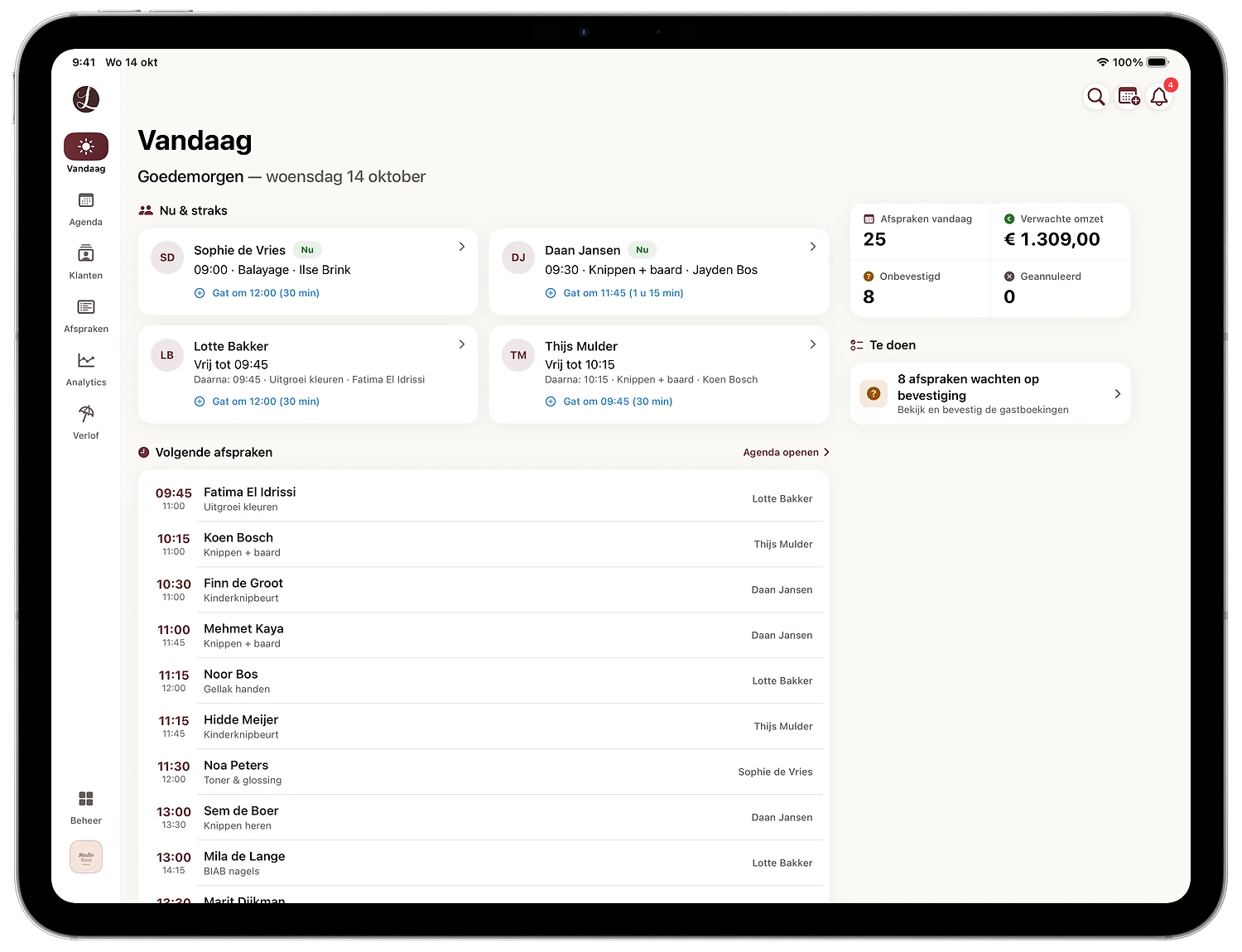
What the checkout in Lookster Pro will do
Card payments with Tap to Pay
Clients hold their card or phone against your device. No separate card terminal needed.
iDEAL QR and payment link
Show a QR code at the desk or send a payment link. The payment is linked to the appointment automatically.
Online prepayment
Ask for a deposit or the full amount when booking. That keeps no-shows low for long or expensive treatments.
Invoices, daily close and refunds
Every payment gets an invoice, you close the day with one overview and refund from the same appointment.
Inventory and gift cards
Track which products you sell and sell gift cards clients redeem at checkout.
Checkout and calendar in one app
You check out from the appointment itself, so revenue per staff member and per treatment is right without double entry.
What you already get today with Essentials
- Online calendar and 24/7 online bookings through your own link, your salon page and the client app
- Client card with appointment history, notes and photos per appointment
- Revenue, appointments and occupancy per staff member and per period
- One click to Excel or CSV for your accountant
- Reminders by email and push, reviews from verified clients
- Lookster Dashboard app for iPhone, iPad, Android and Windows
Early access to Lookster Pro
Lookster Pro is already running at a select number of salons and will soon be available to everyone, at €34.95 per month excl. VAT. Sign up for early access.
How it works
- 1
Start free with Essentials
Create an account without a credit card and set up your treatments, team and opening hours in the short wizard.
- 2
Work with the calendar and client card
Clients book online, you see revenue per staff member and export your figures for your accountant.
- 3
Switch on Pro as soon as it opens to everyone
Sign up for early access. As soon as Pro is available to everyone, you switch on the checkout in your existing account; your calendar and clients stay as they are.
What will the POS system cost?
After three free months, Essentials costs €19.95 per month excl. VAT, including three staff members; each additional staff member €5 per month. Pro will be €34.95 per month excl. VAT and includes everything in Essentials plus checkout, online payments, invoices, inventory and gift cards. No contract, no setup fees and 0% commission on bookings.
See all pricingWhat are the rules for a POS system in the Netherlands?
The Netherlands has no mandatory certification for cash registers, but you must keep your records, including sales data, for seven years for the Belastingdienst (Dutch tax authority). So choose software that can export revenue per day. With Essentials you put revenue and appointments into Excel or CSV in one click, ready for your accountant.
Frequently asked questions
Does Lookster have a POS system?
Yes, as part of Lookster Pro: a checkout with Tap to Pay, iDEAL QR and payment links. Pro is already running at a select number of salons and will soon be available to everyone; sign up for early access. With Essentials you already use the calendar, online bookings, the client card and revenue insight per staff member today. As soon as Pro opens to everyone, you switch on the checkout in the same account.
What does a POS system for a hair or beauty salon cost?
Lookster Pro will soon be available to everyone at €34.95 per month excl. VAT, including three staff members, with checkout, online payments, invoices, inventory and gift cards. Essentials, with the calendar, online bookings and client card, costs €19.95 per month excl. VAT after three free months. On both plans Lookster charges 0% commission on bookings.
Can I take card payments without a separate terminal?
With Tap to Pay in Lookster Pro, clients hold their card or phone against your device. You can also show an iDEAL QR code or send a payment link. These features are part of Pro, which is already running at a select number of salons and will soon be available to everyone.
Can clients prepay online?
With Lookster Pro you ask for a deposit or the full amount when clients book online. Pro is already running at a select number of salons and will soon be available to everyone. With Essentials you already limit no-shows today with free confirmations and reminders by email and push.
What can I already do with Essentials?
With Essentials you have the online calendar, 24/7 online bookings through your own link and the Lookster marketplace, the client card with history and notes, reminders by email and push, reviews and revenue insight per staff member, with one click to Excel or CSV for your accountant. The first three months are free.
Does the POS system connect to my accounting software?
You export revenue and appointments to Excel or CSV for your accountant in one click. That already works with Essentials today. Lookster Pro adds invoices and the daily close; Pro is already running at a select number of salons and will soon be available to everyone.
Further reading on checkout and costs
- Salon POS system: what to look for when choosing a checkout for your salonLookster for your calendar, clients and revenue, plus the card reader you choose. With current per-transaction fees, the Dutch VAT rates for hairdressers and nail salons and what you must keep.11 min read
- How much does salon software cost? Pricing models and examples (2026)From flat subscription to commission per new client: how salon software pricing is built up. With a price table, worked examples and the best-value choice per team size.9 min read
- Best salon software in the Netherlands 2026: Lookster and 8 others comparedNine salon management systems active in the Netherlands, compared on price, commission, cost per staff member and free trial. With the best pick for every type of salon.12 min read
Lookster Dashboard on iPhone, iPad, Android and Windows
Your calendar, bookings and clients always at hand. Get the free app from the App Store or Google Play, or install Lookster Dashboard straight on your Windows PC. Everything works in the browser too, on any device.
All about the apps- iPhone & iPadNow in the App Store

- AndroidNow on Google Play

- WindowsVersion 1.9.0 for Windows 10 and 11 (64-bit) Download for Windows
Your first booking starts with 3 months free
Create your account, set up your salon and let clients book online. No contract, cancel anytime; Lookster charges 0% commission on bookings.
3 months free · No credit card needed · 0% commission